


At some point, almost every trader lands on TradingView. Sometimes it’s intentional, sometimes it just happens because a link opens a chart.
This TradingView review is not about hype or popularity.
It’s about why the platform became the default charting tool for millions of traders, what it does extremely well, and where it clearly falls short.
TradingView is flexible, powerful, and accessible, but it’s not perfect for every trading style.
What TradingView Actually Is
TradingView is first and foremost a charting and analysis platform. It is not a broker, and it is not a trading strategy service.
Its main role is to give traders clean charts, reliable indicators, and tools to analyze markets across almost every asset class.
You can use TradingView for:
- Stocks and ETFs
- Crypto markets
- Forex pairs
- Futures and indices
- Bonds and macro instruments
What makes TradingView different is accessibility. It runs in a browser, works on mobile, and doesn’t require complex setup.
A beginner can open any chart in seconds, while advanced traders can build full workflows around it.
Charting Quality and Indicator Depth
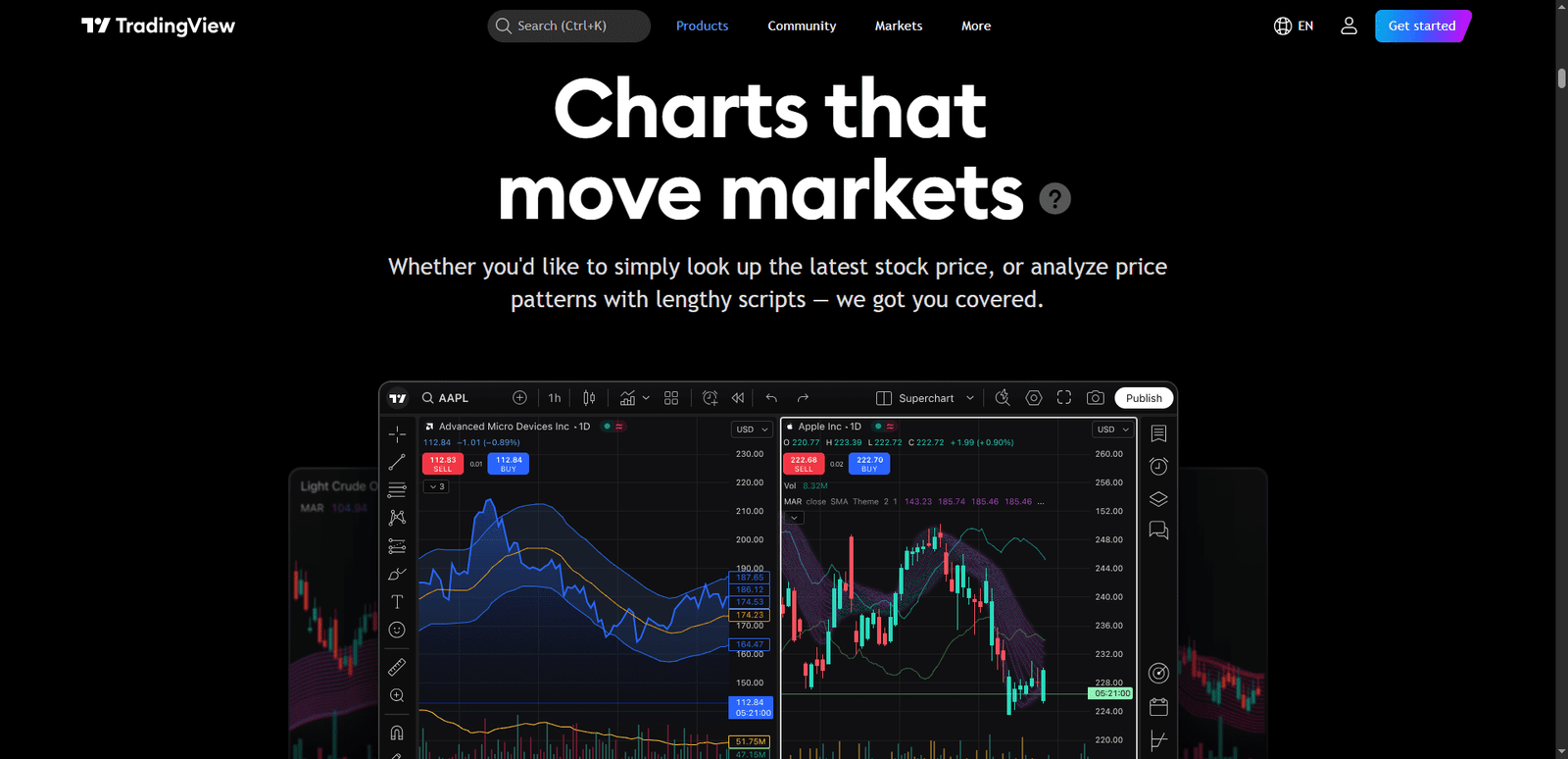
TradingView’s charts are one of its strongest features.
They are fast, smooth, and highly customizable. You can adjust timeframes, layouts, colors, scales, and sessions with very little friction.
Built-in Indicators
TradingView includes hundreds of built-in indicators covering:
- Trend analysis
- Momentum
- Volatility
- Volume-based tools
- Market breadth
Most traders never need more than what’s already included. The indicators behave consistently across timeframes, which makes analysis reliable.
Custom Indicators with Pine Script
For traders who want more control, TradingView offers Pine Script. This allows users to build custom indicators, alerts, and strategies.
Key advantages of Pine Script:
- No external software required
- Large public library of scripts
- Easy to modify existing ideas
- Strong community support
This is one reason TradingView attracts both casual traders and highly technical users.
Alerts and Daily Workflow
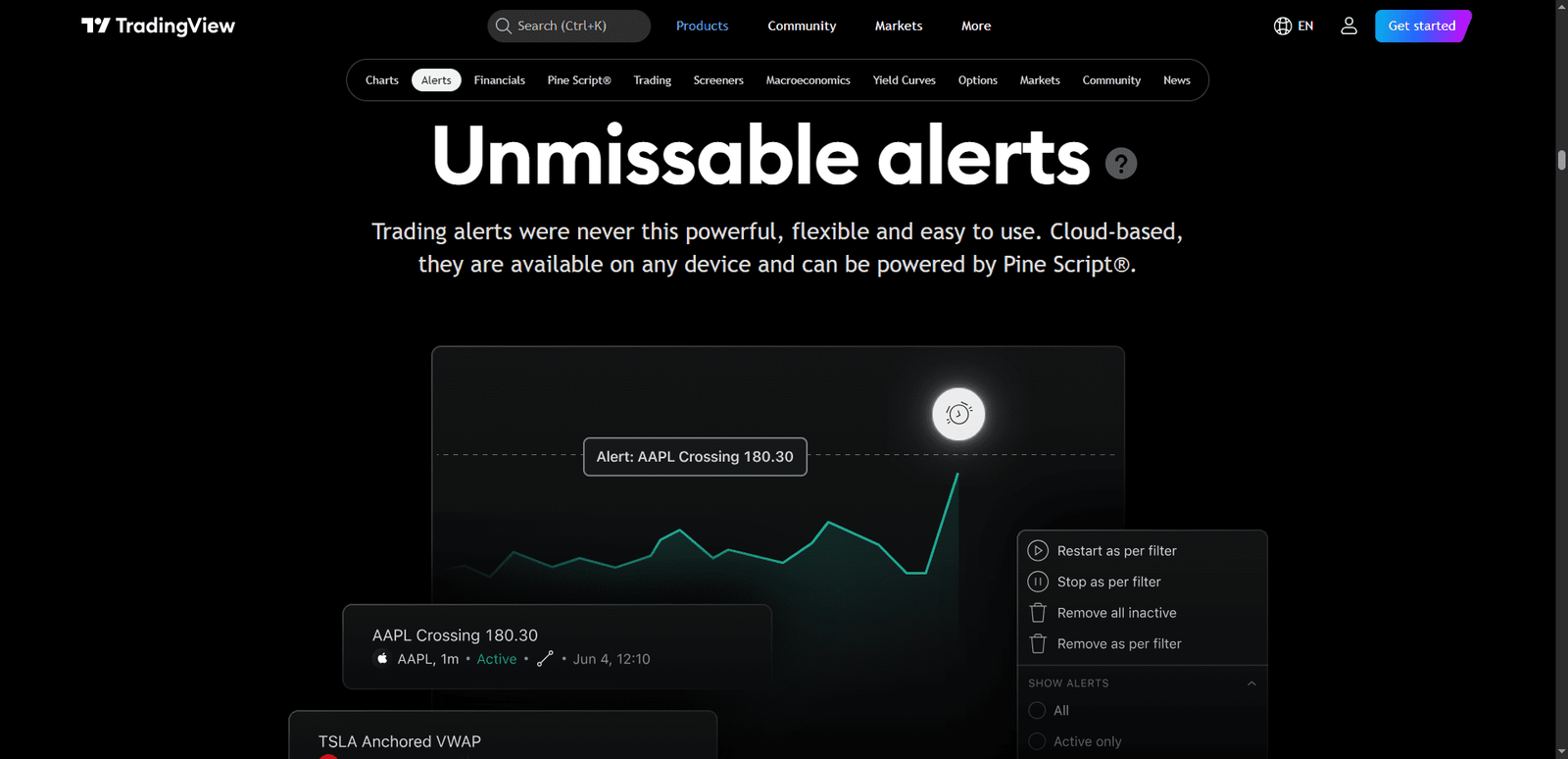
Alerts are where TradingView becomes more than just charts. Traders can set alerts on price levels, indicator conditions, trendline breaks, and custom Pine Script logic.
This allows traders to:
- Step away from screens
- Monitor multiple assets at once
- Avoid emotional overtrading
- Stick to predefined rules
For swing traders and part-time traders, this is essential. Instead of watching charts all day, TradingView tells you when something matters.
Social Features and Idea Sharing
One unique aspect of TradingView is its social layer.
Traders can publish ideas, charts, and analysis publicly. Some traders ignore this completely, while others use it for inspiration.
✅ Pros of the Social Side
- Exposure to different market perspectives
- Educational content from experienced traders
- Easy way to compare analysis styles
❌ Cons to Be Aware Of
- Many ideas lack proper risk management
- Popular posts don’t equal quality
- Can encourage confirmation bias
Used carefully, the social features can be helpful. Used blindly, they can be misleading.
Backtesting and Strategy Tools
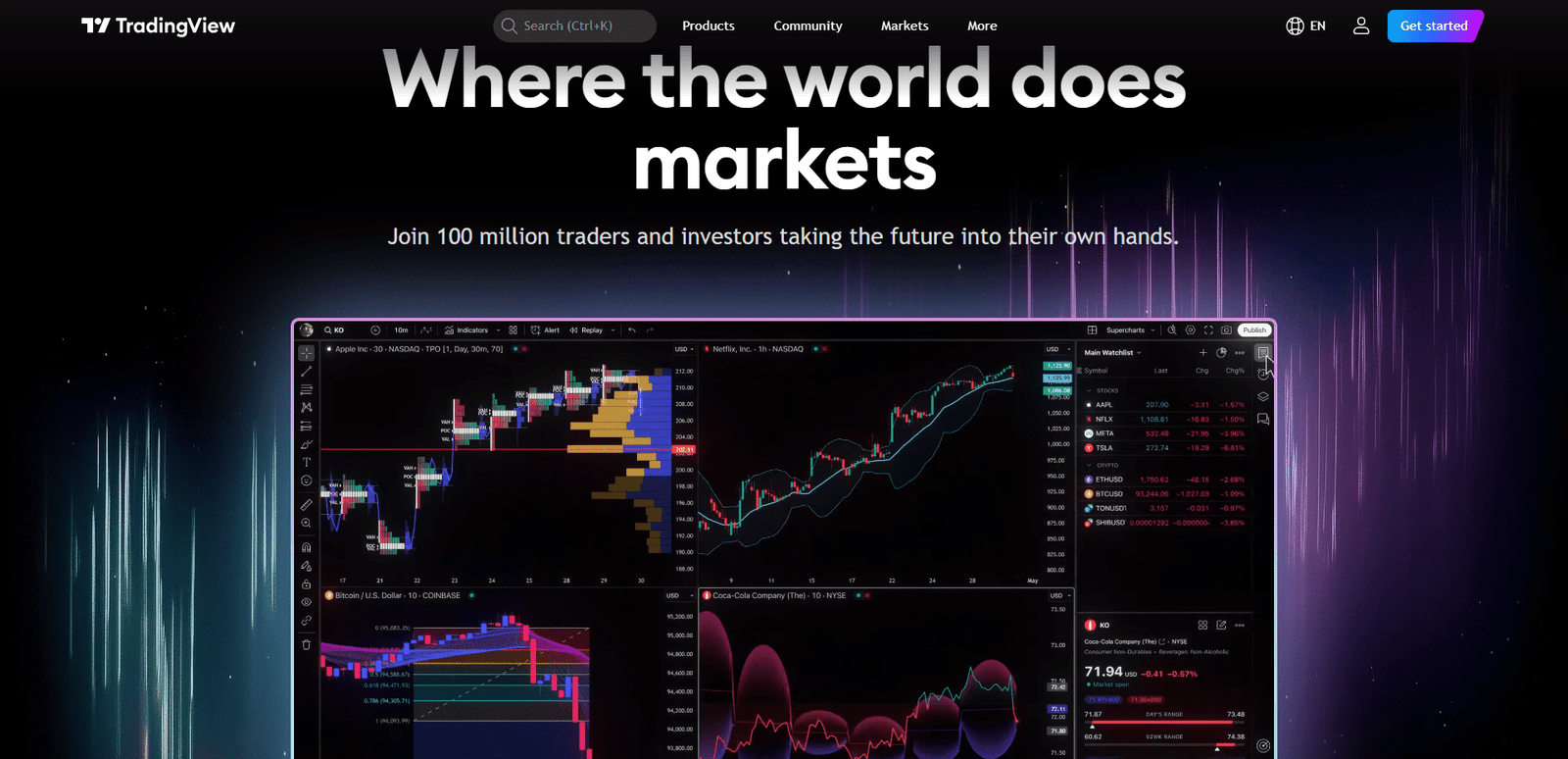
TradingView allows basic strategy backtesting using Pine Script strategies. This is useful for idea validation, not professional-grade testing.
What it does well:
- Quick validation of simple rules
- Visual equity curves
- Easy parameter adjustments
Where it falls short:
- Limited execution realism
- Simplified fills and slippage
- Not suitable for complex systems
Most traders use TradingView to filter bad ideas, not to fully validate profitable ones.
Who TradingView Is Best For
TradingView is one of the most flexible platforms available, which makes it suitable for many trader types.
Best fit:
- Swing traders
- Position traders
- Technical analysts
- Crypto traders
- Traders managing many markets
Less ideal for:
- Pure scalpers
- Order-flow traders
- High-frequency strategies
- Traders needing execution tools
Many professional traders still use TradingView for analysis, even if they execute elsewhere.
Pricing and Plan Differences
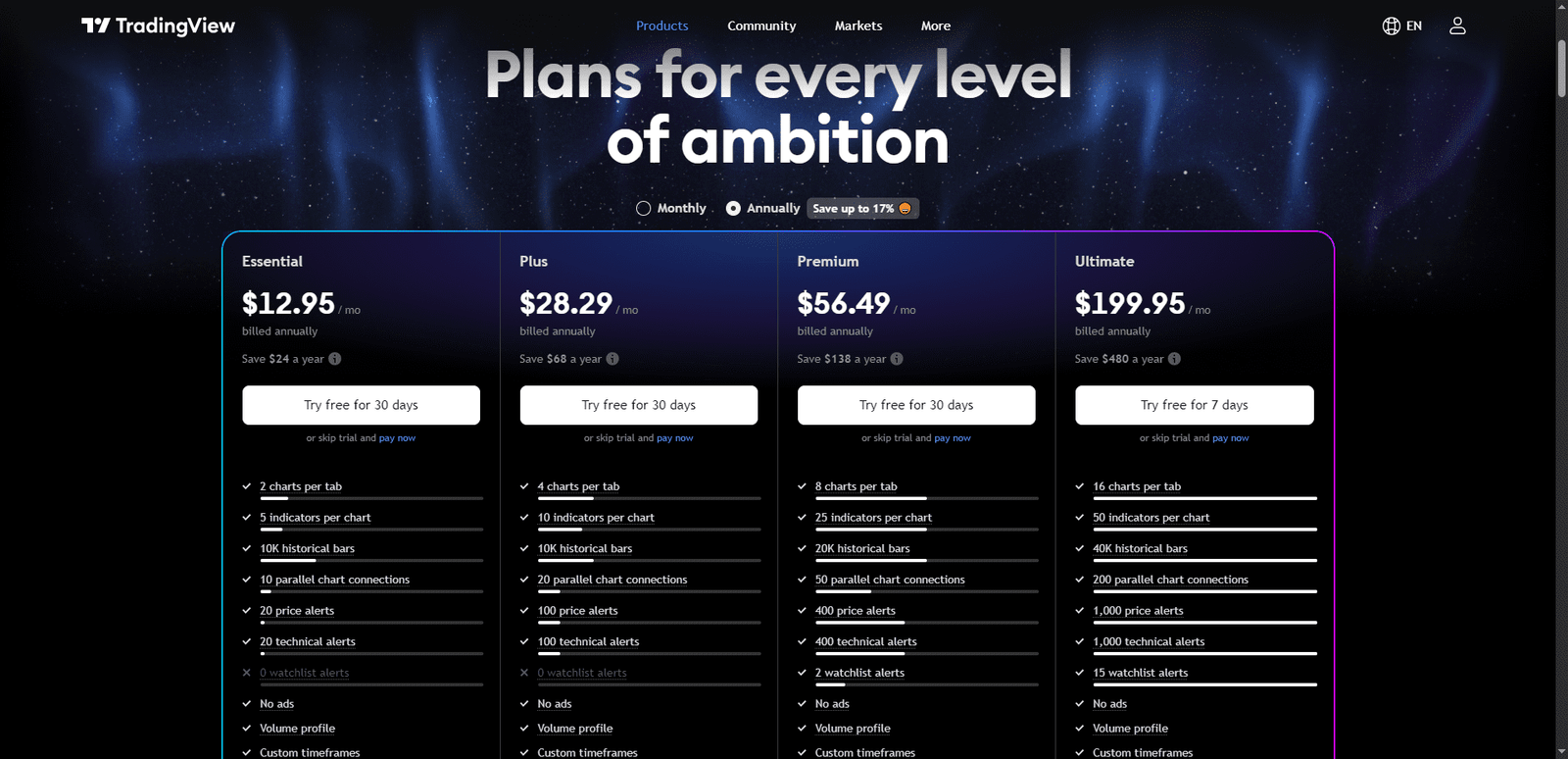
TradingView offers both free and paid plans, and the differences mainly affect convenience, not core functionality.
The free plan is usable and gives access to charts, indicators, and basic alerts, which is why many traders start there.
However, limitations show up quickly once you follow multiple markets or use more than a few indicators at once.
Paid plans increase the number of indicators per chart, allow multiple charts in one layout, unlock more alerts, and provide faster data updates.
These upgrades matter for active traders who rely on alerts and monitor assets daily. Casual traders may never feel the need to upgrade, but consistency-focused traders usually do.
Limitations That Matter
Despite its popularity, TradingView has clear limits. Key limitations:
- No native order flow tools
- No real execution control
- Backtesting is simplified
- Social content can be noisy
Understanding these limits helps traders use TradingView correctly instead of expecting it to do everything.
Frequently Asked Questions
Can TradingView Be Used Without Connecting a Broker Account?
Yes, most traders use TradingView without connecting any broker. It works perfectly as a standalone analysis and charting platform. You can study markets, build alerts, and plan trades independently, then execute trades manually on a separate trading platform or broker.
How Accurate Is TradingView Data Compared to Broker Charts?
TradingView data is generally accurate for technical analysis, but small differences can appear compared to broker charts due to data sources and pricing feeds. These differences rarely affect swing or position trading, but very short-term scalpers may notice slight variations during fast markets.
Is TradingView Suitable for Learning Technical Analysis From Scratch?
Yes, TradingView is one of the easiest platforms for learning technical analysis. Its clean charts, built-in indicators, and visual tools help beginners understand price action quickly. However, learning still depends on studying concepts, not copying public trading ideas blindly.
Why Do Many Professional Traders Still Use TradingView Daily?
Professional traders use TradingView because it’s fast, flexible, and reliable for market analysis. Even traders who execute on advanced platforms often rely on TradingView for charting, multi-market monitoring, and alerts, making it a central planning tool rather than an execution platform.
Conclusion
TradingView became popular because it solves a real problem. It makes market analysis accessible, fast, and flexible.
It’s not a specialist tool like order-flow platforms or backtesting engines, but it doesn’t try to be. For most traders, TradingView becomes the foundation of their workflow.
Used correctly, it’s one of the most practical tools available. Used blindly, it’s just another chart.